Animation Workshop
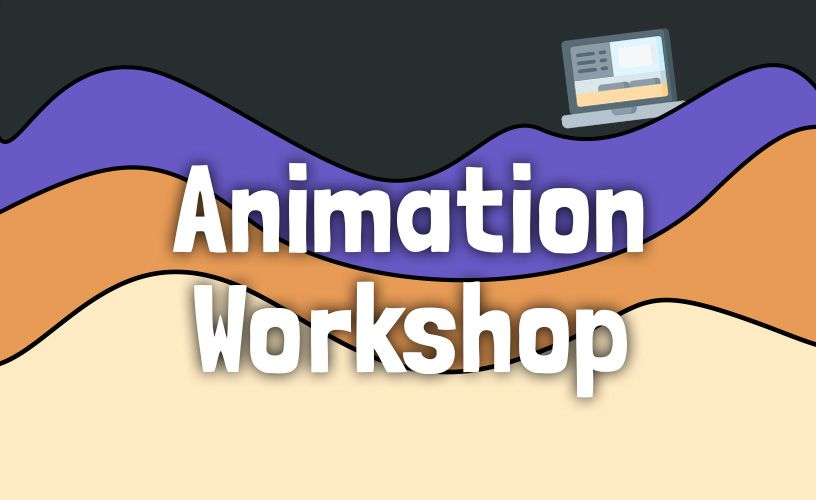
During my time at Capgemini, I was given the opportunity to deliver a guest lecture for the HBO-ICT program at Windesheim University of Applied Sciences in Zwolle. Students could register for various sessions, and I chose to host a session about web animations. To prepare, I carefully created a presentation and developed a dedicated webpage containing several hands-on assignments for the students.
The Presentation
I started the workshop with a presentation explaining the importance of animations. Animations can serve multiple purposes and significantly enhance the user experience. I also explained how animations work conceptually, which is essential knowledge for those who have never worked with them before. I covered topics such as keyframes, duration, delay, and easing, and demonstrated practical examples throughout.
Next, I showed how transitions and animations can be implemented in code. I started with CSS and then moved on to JavaScript using an animation library called GSAP (GreenSock Animation Platform). I also demonstrated how SVG animations can be implemented using Lottie.
Finally, I addressed the fact that animations do not work well for everyone. Some users may experience motion sickness when viewing animations. I explained what can be done according to the WCAG (Web Content Accessibility Guidelines) to ensure animations are implemented in an accessible and responsible way.
Assignments
When designing the assignments, I intentionally kept them accessible and approachable. I wanted students to start with CSS transitions, then move on to CSS animations, followed by JavaScript animations using GSAP, and finally work with Lottie.
One of the main challenges was that I did not know the exact front end skill level of the students. I wanted to prevent them from spending too much time on layout and styling. Therefore, I created a custom webpage where the assignments were already structured. Students only needed to use the provided element IDs and classes to apply animations.
Design
I wanted the webpage to be visually appealing and engaging. While exploring different design styles, I came across Neubrutalism. Its colorful nature and bold black lines felt like a perfect match for the workshop. The style reminded me of cartoons I used to watch as a child, which fittingly, are also a form of animation.
For typography, I selected Google Web Fonts that complemented the style. I chose Londrina Solid for headings and Exo 2 for body text. Londrina Solid is a bold typeface with rounded shapes, giving it a playful character. It also contains few straight lines, which creates the impression of hand-drawn lettering and conveys creativity. Exo 2 pairs well with it for paragraphs, as it is highly readable on screens and has a modern, slightly futuristic, and friendly appearance.
To make the webpage feel even more dynamic, I decided to incorporate animations directly into the design. This allowed me to immediately demonstrate the possibilities of web animations before students even started their assignments. The goal was to create a “wow” factor.
To achieve this, I designed a header featuring layered waves, a title, a subtitle, and an illustration of a laptop. As the user scrolls down, all these elements animate. The waves move at different speeds to create a sense of depth—also known as the parallax effect. The text disappears behind the waves in different directions, and the laptop illustration moves out of view. As the user scrolls further, the assignments animate into view. I slightly rotated these elements to give the webpage a more playful and dynamic appearance.